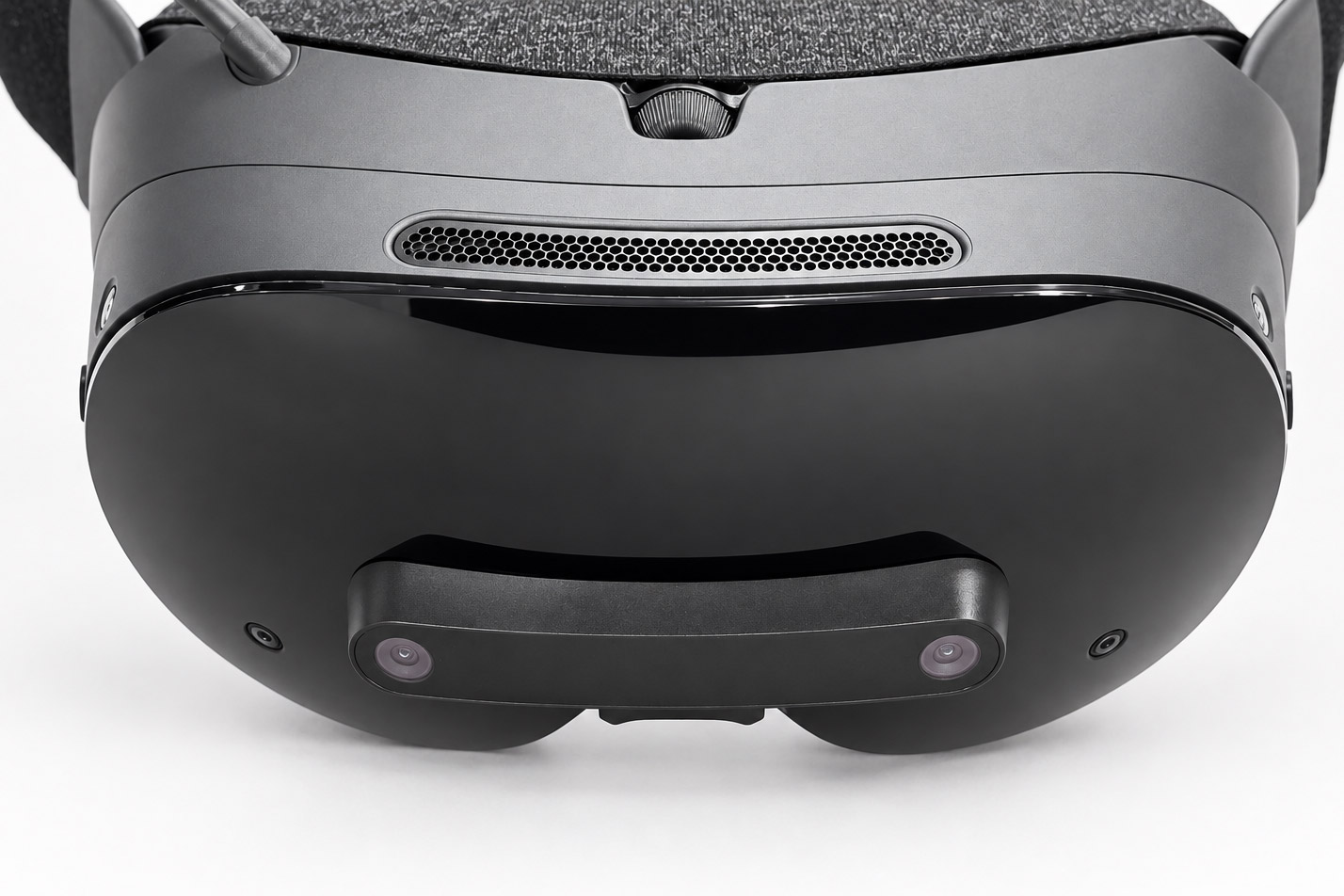
Arcturus Vision Camera is an add-on module for Steam Frame which greatly enhances its passthrough camera quality. The obvious visual improvement, tiny size, and reasonable price make it easy to recommend.
In the course of my decade plus of using VR headsets and various accessories, I can’t think of any that were as straightforwardly recommendable as the Arcturus Vision Camera.
Usually that’s because VR headset accessories (especially those which directly interface with the headset’s software) have at least one major downside. Either they’re too big, too expensive, too niche, or just don’t work as well as you hoped.
The Arcturus Vision Camera is the exception to that trend. It’s not just tiny (a mere 10 grams), reasonably priced ($150), easy to use (plug-and-play), and does what it promises; it also fits Frame so perfectly that you’d swear it was a first-party accessory directly from Valve.
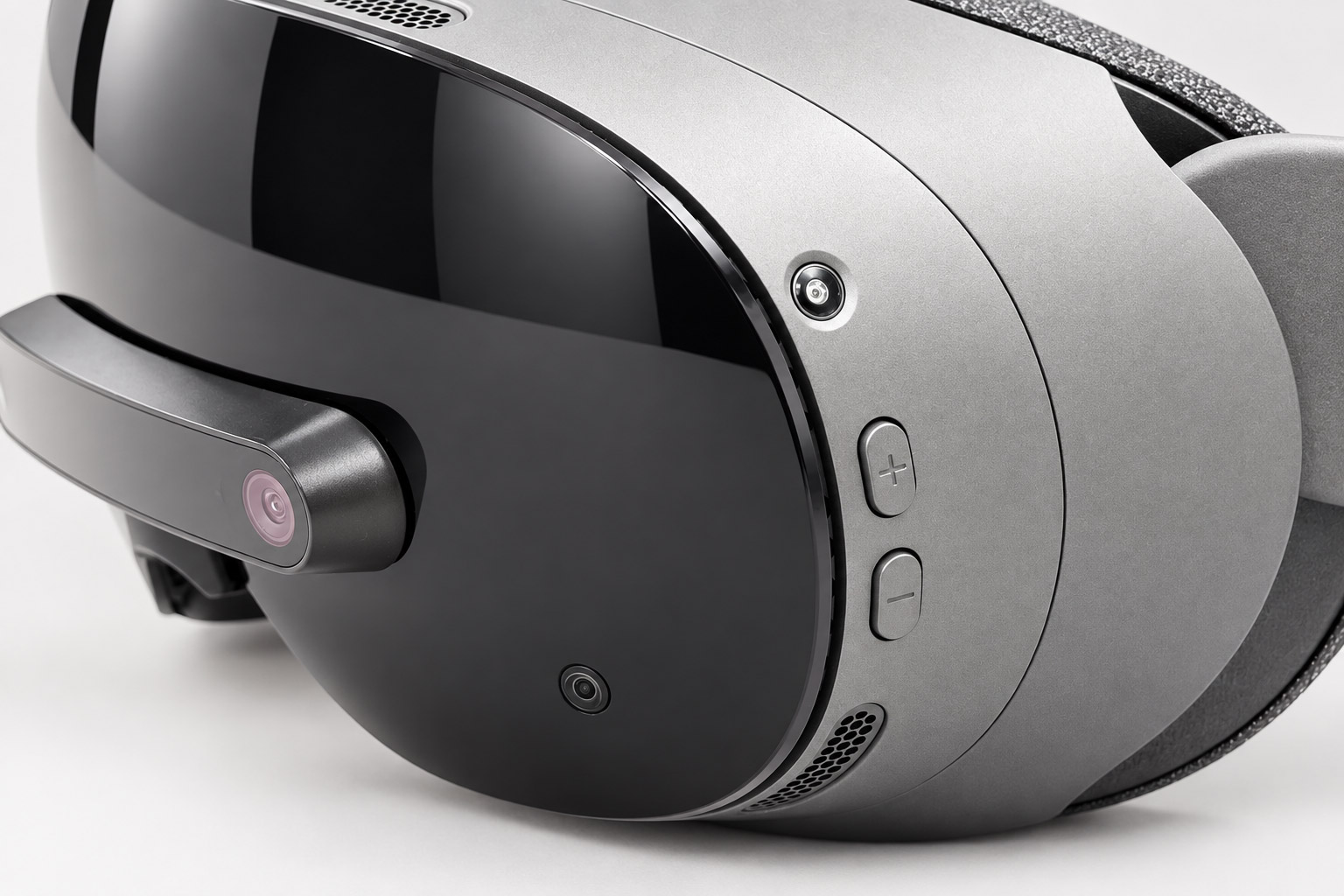
At its core, the Arcturus Vision Camera offers significantly improved passthrough visuals compared to Steam Frame’s default passthrough view, which is otherwise monotone and low resolution.


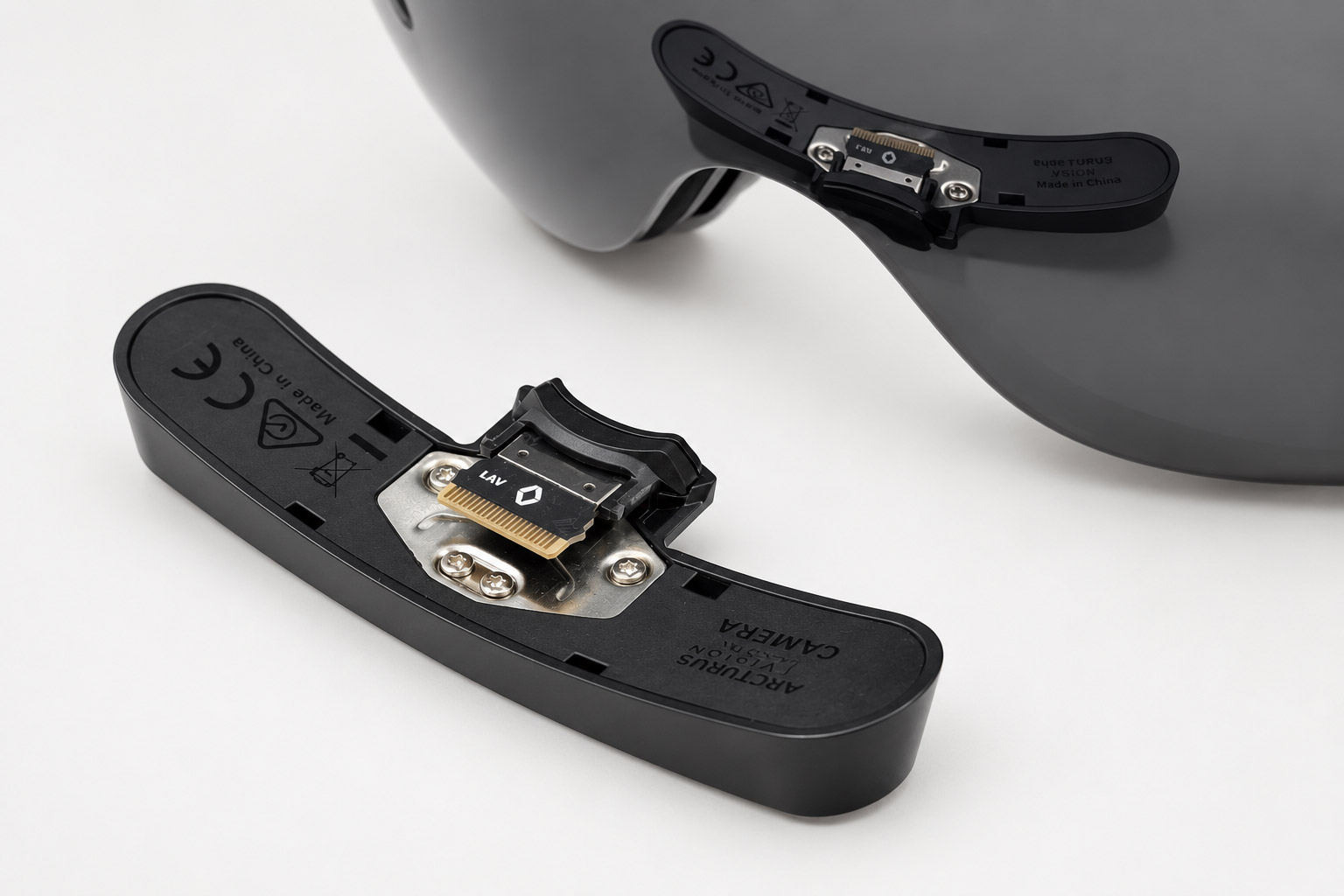
The module snaps into Frame’s hidden expansion port (under the nose bridge) and—without so much as restarting the headset—instantly takes over for the headset’s passthrough cameras. Anywhere that you’d normally see Frame’s own passthrough view (ie: as the background in the SteamVR dashboard or in a mixed reality game), you’ll be looking through the Arcturus Vision module instead.
Beyond just adding color, the jump in resolution is instantly noticeable. It feels like you were sitting in the dark and then someone flipped on the lights.
A key benchmark for any passthrough system is whether or not you can read your phone screen. With Frame’s default passthrough view, there’s no hope.
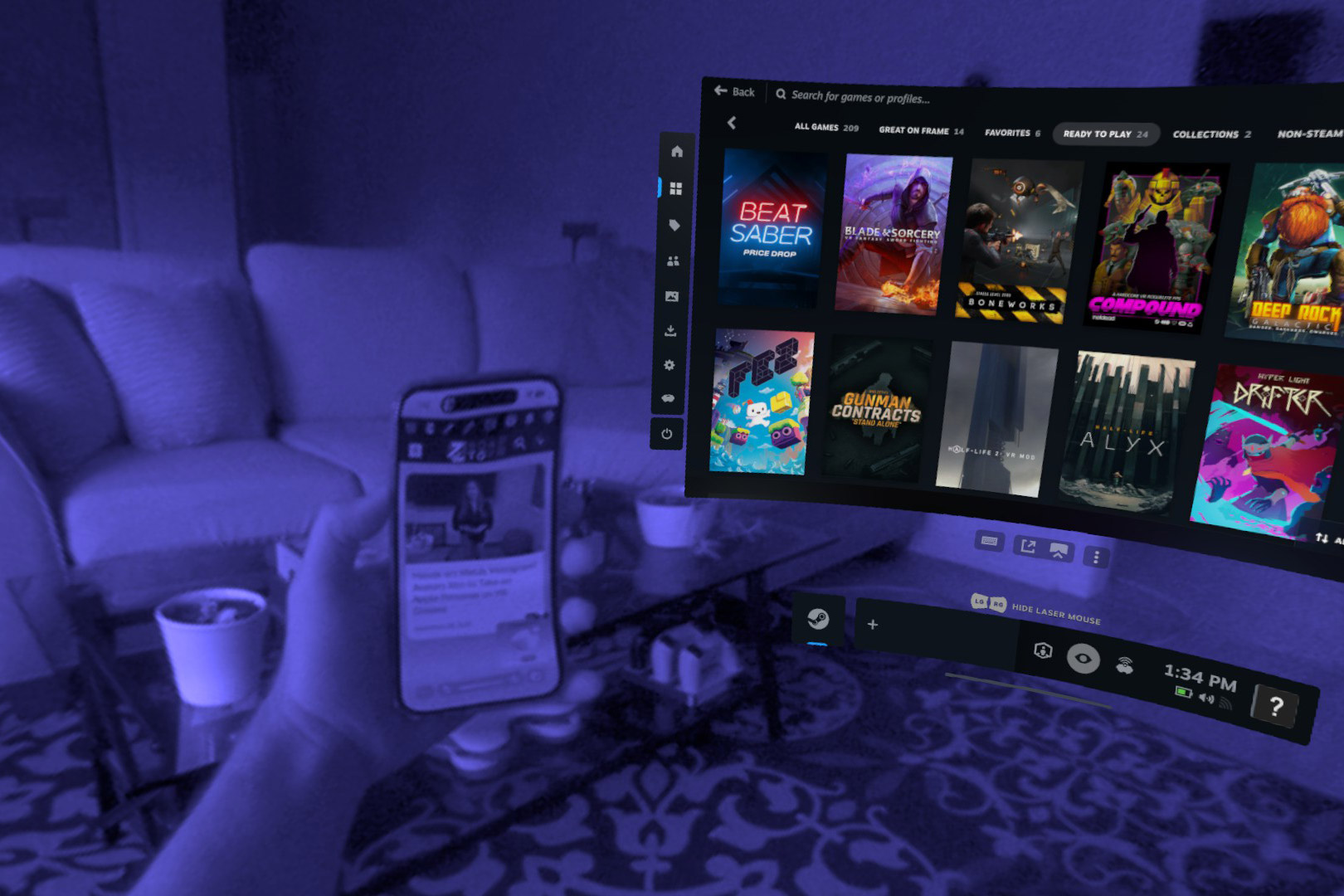
But the Arcturus module easily crosses the gap to a readable phone.
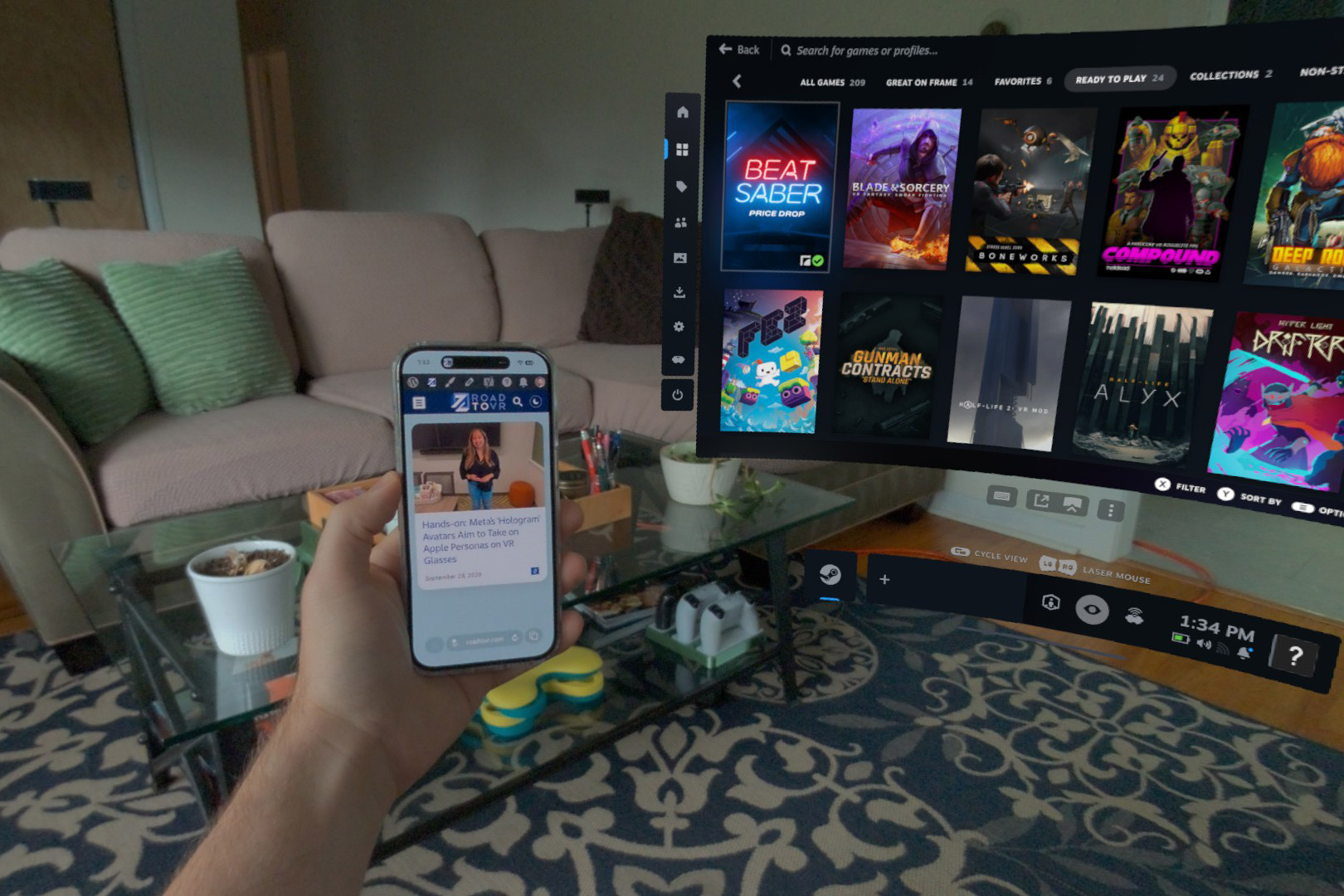
While the Arcturus Vision Camera is an obvious improvement to Frame’s passthrough, I want to be clear that a large part of the benefit comes from Frame’s default passthrough being so bad to begin with. The Arcturus module brings it up to par, but doesn’t blow contemporary headsets out of the water by any means. Perceptually, it brings Frame’s passthrough view to be about on-par with Quest 3, while both Frame and Quest 3 are still well behind Vision Pro.
If that’s all the camera add-on did, it would be easy to recommend. But Arcturus has also gone the extra mile and made the Vision Camera capable of capturing high-quality spatial videos that can be viewed on Frame or other headsets.
This is enabled through the company’s own free app for Steam Frame.
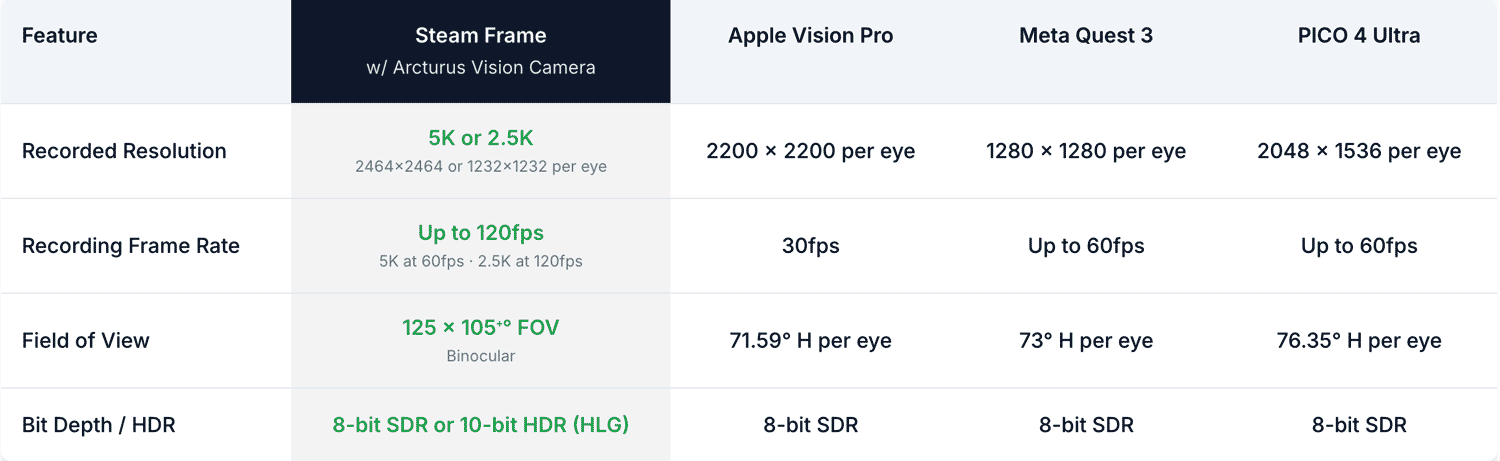
According to Arcturus, the Vision Camera is capable of capturing up to 6MP (2,464 × 2,464), 60 FPS (or 120 FPS at 1.5MP), and 10-bit HDR. It also captures the widest field-of-view of any major headset that allows for spatial video capture. Here’s a sampling of footage captured by the camera:
The Arcturus Vision Camera app plays back spatial videos with depth, and with synchronized head movement. That means instead of looking at a video which shakes around inside its frame, the frame itself actually moves in space (according to the motions in the original capture), and the viewer can follow the frame with their own gaze.
And the camera plays nicely with others. Arcturus has made a ‘Sync’ app (currently available for Windows and Mac, with plans for a later Linux release) which lets you transfer recordings from your headset to your computer, and convert them for viewing on other headsets.
Arcturus also advertises the ability to capture 3D gaussian splats using the Vision Camera add-on, but the process currently requires use of command-line tools and a Linux desktop with NVIDIA GPU, so it’s really only something advanced users are likely to play with. However, you can use the company’s free Arcturus Vision Gaussian XR app to see some examples of gaussian splats in the headset.
Even if you have no intention of using mixed reality apps or recording spatial videos, a high-quality passthrough view is a real convenience which makes a headset feel easier to use. While I wish Frame had a good passthrough view out of the box, I’m glad the Arcturus Vision Camera is available to fill the void. Its capabilities, size, and deep integration make it easy to recommend. If you’re already dropping $1,000+ on Steam Frame, do yourself a favor and add the passthrough upgrade.